
Mixed Reality is a blend of physical and digital environments where virtual objects interact with the real world in real time. Unlike basic AR overlays on your phone, MR content anchors to actual surfaces, hides behind furniture and responds when you reach toward it.
This guide covers how the technology works, what hardware exists today, where enterprises are deploying it and how to read the specs when comparing devices.
What is Mixed Reality
Mixed Reality blends physical and digital environments so that virtual objects interact with the real world in real time. A virtual clock on your wall stays put when you walk across the room. A digital ball bounces off your actual coffee table. The key distinction here is spatial awareness: the system knows where your furniture is and responds accordingly.
The term itself dates back to 1994, when Paul Milgram and Fumio Kishino published A Taxonomy of Mixed Reality Visual Displays. They introduced the Reality-Virtuality Continuum, a spectrum with the purely physical world on one end and fully virtual environments on the other. Mixed Reality occupies the middle ground, where digital and physical elements coexist.
You might wonder how this differs from the AR apps on your phone. With smartphone Augmented Reality, a cartoon character can appear on your floor, but it doesn't know your couch exists. In Mixed Reality, the headset maps your room first. Then digital content can anchor to surfaces, hide behind objects and respond when you reach toward it.
Mixed Reality vs Virtual Reality vs Augmented Reality
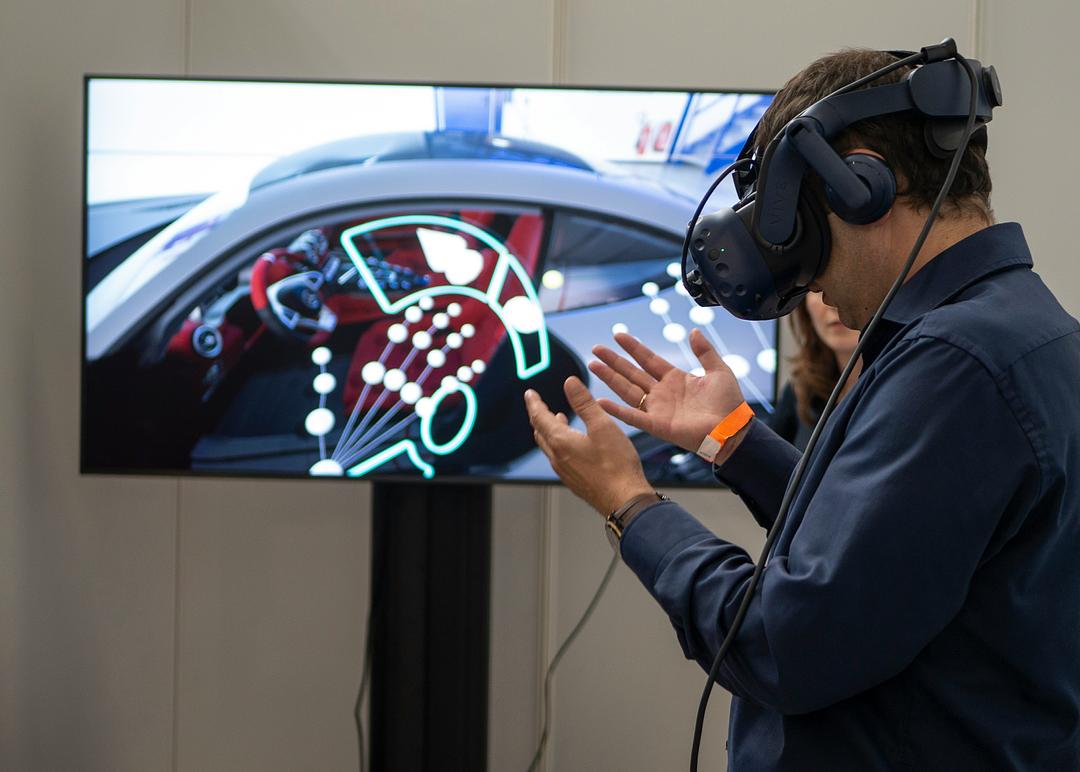
Virtual Reality replaces your environment entirely, Augmented Reality overlays information onto it, and Mixed Reality blends both with spatial interaction. The practical difference comes down to two questions: how much of the physical world do you see, and does digital content respond to it?
| Virtual Reality | Augmented Reality | Mixed Reality | |
|---|---|---|---|
| Physical environment | Not visible | Visible | Visible |
| Digital-physical interaction | None | Minimal | Spatial anchoring and occlusion |
| Example devices | Meta Quest (VR mode), Valve Index | Smartphone AR, Google Glass | Apple Vision Pro, HoloLens 2, Quest 3 (MR mode) |
VR headsets block out your room and transport you somewhere else. AR typically adds flat information, like navigation arrows or text labels, without understanding the space around you. MR goes further. Digital objects attach to real surfaces, disappear behind physical furniture and respond when you interact with them.
How Mixed Reality works
Four core technologies work together to make Mixed Reality possible: displays, tracking, depth sensing and latency management. Each handles a different part of making digital content feel present in your physical space.
Video passthrough and optical see-through displays

Two display types dominate MR hardware today. Video passthrough uses cameras on the front of the headset to capture the real world, then composites digital objects onto that video feed before showing it to your eyes. Apple Vision Pro and Meta Quest 3 both use this approach.
Optical see-through works differently. Transparent lenses let you see the room directly while projectors overlay digital light onto the glass. Microsoft HoloLens 2 uses waveguide optics for this.
Each approach has trade-offs:
- Video passthrough: Enables full occlusion (digital objects can completely block real ones) but adds slight camera delay
- Optical see-through: Preserves natural light with no camera latency, though digital content can appear translucent against bright backgrounds
Inside-out tracking and 6DoF
Six degrees of freedom, or 6DoF, means the headset tracks both your position (forward/back, left/right, up/down) and your rotation (pitch, yaw, roll). Inside-out tracking accomplishes this using cameras mounted on the headset itself, rather than external sensors placed around the room.
Why does this matter? You can set up an MR headset in a new space without installing base stations or running calibration routines. The device figures out where it is by analyzing visual features in the environment, like the edges of your doorframe or the pattern on your rug.
Depth sensing and scene understanding
Depth sensors measure the distance to surfaces around you. Common approaches include time-of-flight sensors (which measure how long light takes to bounce back) and structured light (which projects patterns and analyzes their distortion).
Scene understanding builds on that depth data. The system identifies walls, floors, ceilings and furniture, then creates a spatial map of your room. This is what allows a virtual object to sit on your real table or hide behind your couch. Without scene understanding, digital content just floats disconnected from the physical world.
Motion-to-photon latency
Motion-to-photon latency is the delay between moving your head and seeing the display update. Lower latency, measured in milliseconds, keeps digital objects stable in space. High latency makes content appear to swim or lag behind your movements, which breaks the illusion and can cause discomfort.
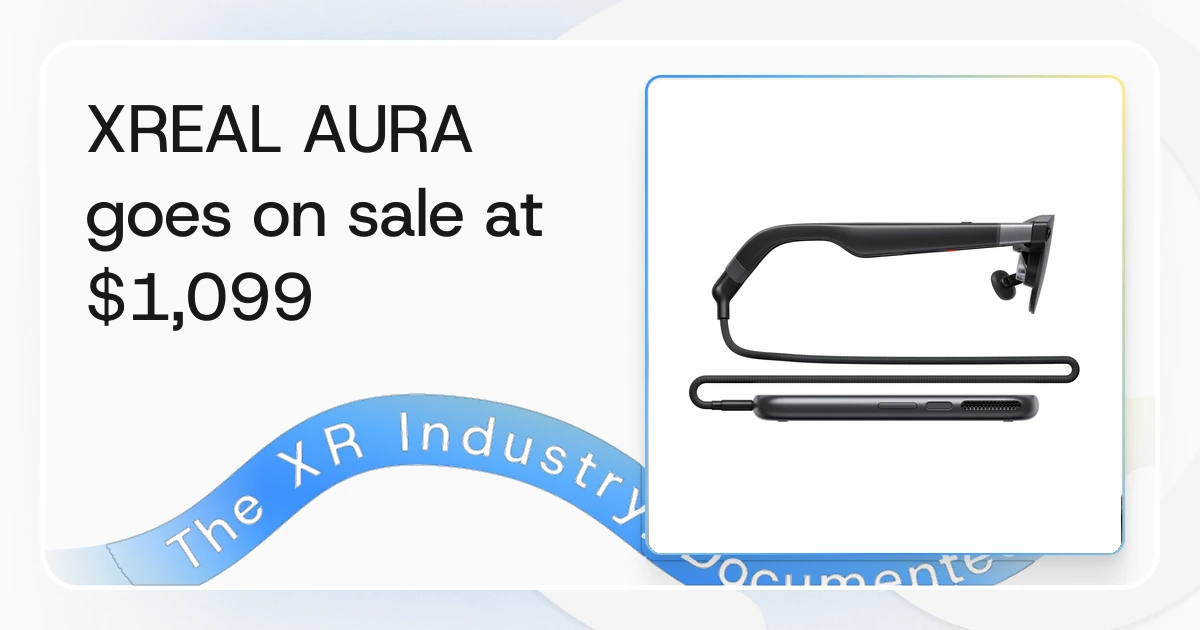
Two manufacturers publish a figure here and the two measure different paths, so neither supports a comparison across headsets, and no primary source states an industry-wide target. XREAL states a 3-millisecond motion-to-photon latency for AURA on its own specification page, which describes an optical see-through device where the room stays visible through the lens. Apple states a 12-millisecond photon-to-photon latency for Vision Pro, which measures the camera passthrough path on a video see-through headset. Both are claimed figures published without a measurement method. What is documented is the frame budget underneath it. Microsoft tells HoloLens developers to hold a constant 60 frames per second, which means delivering a new image to the operating system every 16 milliseconds, and notes that an engine running its game and render threads in lockstep at 30 FPS can add 33.3 milliseconds of extra latency. Fast sensors, efficient rendering and display panels with high refresh rates are what keep that budget. BestInXR's record of what XR vendors do not publish covers the other specifications that cannot be compared this way.
How to read Mixed Reality hardware specs
When comparing MR headsets, a handful of specs tell you most of what you want to know. Here's what each one means:
- Field of view (FoV): The angular extent of the visible display, measured in degrees. Wider FoV means digital content can appear further into your peripheral vision.
- Pixels per degree (PPD): A measure of sharpness. Higher PPD reduces the screen-door effect and makes text easier to read.
- Refresh rate: How often the display updates per second, measured in Hz. Higher refresh rates contribute to smoother visuals.
- Passthrough resolution: For video passthrough devices, this indicates how clearly you see the real world through the cameras.
- Weight: Total headset mass affects comfort during extended sessions.
- Standalone vs tethered: Standalone devices run independently. Tethered devices require a connected PC for processing.
The BestInXR Headsets directory records specs with sources and dates, so you can trace each figure back to manufacturer documentation rather than marketing claims.
Mixed Reality headsets and Smart Glasses
MR hardware divides into two form factors. Immersive headsets offer wider fields of view and more processing power, suited for focused work sessions. Smart Glasses are lighter and designed for all-day wear, though they typically have narrower displays.
Apple Vision Pro
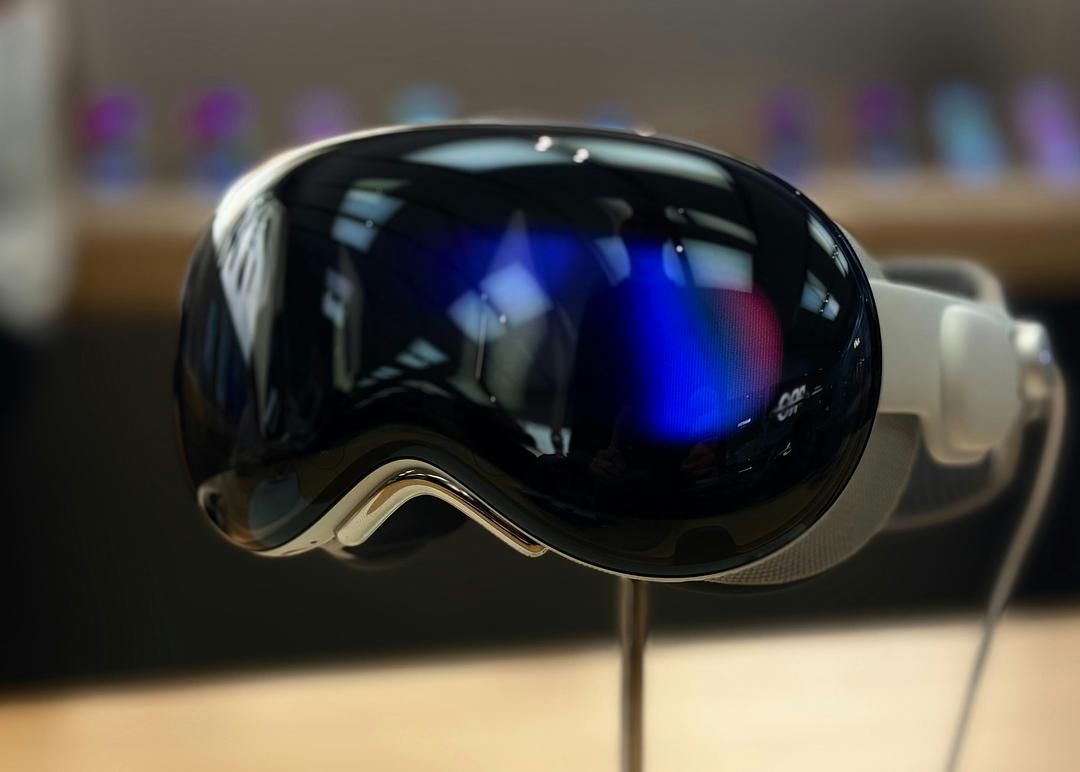
Apple manufactures Vision Pro with video passthrough via stereoscopic cameras. It runs visionOS and targets enterprise productivity, design review and media consumption. Spatial input relies on eye tracking and hand gestures rather than handheld controllers.
Meta Quest 3 and Quest 3S
Meta's Quest 3 uses color video passthrough and runs Horizon OS. It operates standalone without a PC. Quest 3S is a lower-cost variant with a lower-resolution display and Fresnel lenses, aimed at broader consumer adoption while retaining MR capabilities.
Microsoft HoloLens 2
Microsoft's HoloLens 2 uses optical see-through waveguide displays. It targets enterprise verticals including manufacturing, healthcare and defense. Microsoft ended consumer-facing Mixed Reality efforts in late 2023 and ended HoloLens 2 production in 2024, with security updates for existing devices continuing through December 2027.
Varjo XR-4
Varjo, headquartered in Finland, builds the XR-4 with high-resolution video passthrough. It includes integrated eye tracking and LiDAR depth sensing. Primary markets include simulation, automotive design and enterprise training where visual fidelity is critical.
Mixed Reality use cases in enterprise
Enterprise adoption centers on training, design review, remote assistance and customer engagement. The value comes from placing information in spatial context rather than on flat screens. Organizations scaling beyond pilots often work with specialized XR developers for enterprise deployment.
Manufacturing and field service

Assembly guidance overlays step-by-step instructions anchored to physical parts. Technicians see what to do without looking away from their work. Remote expert support lets a specialist see through the technician's headset and annotate the view in real time.
Healthcare and life sciences

Surgical planning uses patient-specific 3D anatomy overlays. Medical training simulations let practitioners rehearse procedures without risk. Anatomy education benefits from spatial models that students can examine from any angle.
Architecture engineering and construction
On-site model overlay compares digital designs to physical construction progress. Teams catch discrepancies before they become expensive fixes. Client walkthroughs let stakeholders experience unbuilt spaces at full scale.
Training and learning and development
Procedure rehearsal in simulated environments builds muscle memory. Safety training removes physical risk while maintaining realistic scenarios. Performance tracking provides data on where learners struggle.
Mixed Reality platforms and runtimes
A platform or runtime is the software layer between hardware and applications. It handles input, rendering and device abstraction so developers can build once and deploy across multiple headsets.
- OpenXR: An open royalty-free standard from the Khronos Group. It enables cross-device compatibility, with support from Meta, Microsoft, Varjo and others.
- visionOS: Apple's operating system for Vision Pro. Developers use RealityKit, ARKit or game engines like Unity and Unreal.
- Horizon OS: Meta's operating system for Quest devices. It provides MR APIs for passthrough, spatial anchors and scene understanding.
- Snapdragon Spaces: Qualcomm's SDK for AR and MR development on Android-based Smart Glasses. It's a developer toolkit, not an operating system.
Enterprise deployment and security considerations
Enterprise deployment involves device management, data handling and network planning. Four factors often determine whether a pilot scales to full rollout:
- Mobile device management (MDM): Solutions like VMware Workspace ONE, Microsoft Intune or ArborXR handle fleet provisioning, app distribution and remote wipe.
- Data residency: On-device processing keeps sensor data local. Cloud processing may transmit spatial maps and camera feeds, raising compliance questions.
- Network requirements: Remote rendering and real-time collaboration demand sufficient bandwidth and low latency.
- Authentication: Integration with enterprise identity providers (Azure AD, Okta) controls who accesses devices and applications.
Buyers evaluating MR hardware for regulated industries verify vendor compliance with regional requirements such as GDPR in the EU or HIPAA in US healthcare.
The future of Mixed Reality and Spatial Computing
Spatial Computing is the broader category term that encompasses VR, AR and MR. Apple's use of the phrase for Vision Pro has increased its adoption across the industry.
The hardware trajectory points toward convergence. Headsets are getting lighter while Smart Glasses are gaining processing power. The gap between the two form factors narrows with each generation. Meanwhile, passthrough quality continues improving, making video-based MR increasingly viable for extended use.
Where BestInXR documents the Mixed Reality market
The BestInXR directory organizes MR hardware and developers with sourced, dated specifications. Relevant categories include Headsets, Smart Glasses, Developers and Platforms.
Related reading. Spatial computing companies covers the vendors working in this space, the digital twins guide covers the models that MR headsets display and XR in education covers the teaching side of the same hardware.
Browse the directory at bestinxr.com to compare devices and find development partners.
Frequently Asked Questions (FAQ)
Can you explain Mixed Reality in a simple way?
Mixed Reality places digital objects into your physical space where they attach to real surfaces and respond to your movements. Unlike a phone screen overlay, MR content stays anchored as you walk around it.
When was Windows Mixed Reality discontinued?
Microsoft deprecated Windows Mixed Reality in November 2023, with support ending in November 2026. Existing WMR headsets from HP, Samsung and Lenovo will stop receiving driver updates after that date.
Is Mixed Reality better than Augmented Reality?
Mixed Reality and Augmented Reality serve different purposes. MR enables spatial interaction where digital objects anchor to and occlude behind physical surfaces, while AR typically overlays flat information without environmental awareness.
Who coined the term Mixed Reality?
Paul Milgram and Fumio Kishino introduced the term in their 1994 paper A Taxonomy of Mixed Reality Visual Displays, which defined the Reality-Virtuality Continuum.
Does Mixed Reality require a PC?
It depends on the device. Standalone headsets like Meta Quest 3 and Apple Vision Pro run MR applications without a PC, while some enterprise devices like Varjo XR-4 require a tethered workstation for rendering.