
Smart Glasses put a computer on your face without blocking your view of the world. The category has grown from a curiosity into a legitimate enterprise tool, with IDC reporting multi-million unit shipments in a single quarter of 2026.
This guide covers the five device types on the market, how the underlying technology works, which models fit specific business workflows and what IT teams need to know before deploying them.
What are Smart Glasses
Smart Glasses in 2026 fall into three core categories: AI Glasses (screen-free, voice-first devices for daily tasks), Audio Smart Glasses (open-ear sound for calls and media) and AR Glasses (optical displays that overlay digital graphics onto the physical world). The market has grown past multi-million unit quarters, according to IDC's Q1 2026 shipment data.
At the most basic level, Smart Glasses are eyewear with embedded computing. They pack microphones, speakers and wireless connectivity into frames that look like regular glasses, and most add a camera. Some add a display. Others rely entirely on voice and audio to deliver information.
The distinction from VR headsets is straightforward. VR blocks your view of the world entirely. Smart Glasses keep it visible, adding information on top or through your ears. You stay present in your environment while gaining access to digital tools.
Types of Smart Glasses
Smart Glasses split by whether the device has a display and what that display can do. Knowing which type fits your workflow narrows the field before you start comparing individual devices.
AI Glasses
AI Glasses have a camera and voice assistant but no screen. You speak or look at something, and the AI responds through audio. Ray-Ban Meta is the most widely available example right now. AI Glasses work well for quick queries, photo capture and hands-free calls, though the lack of visual feedback limits certain workflows.
Display Glasses
Display Glasses add a small HUD (heads-up display) for notifications, navigation or live transcriptions. A HUD is a transparent screen that shows information without blocking your view. The display is not spatially anchored, so digital elements move with your head rather than staying fixed in space. Even Realities G1 fits this category. The same idea is being built into windshields, where removing the mirrors a head-up display normally needs is what shrinks the unit enough to fit smaller cars.
AR Glasses
AR Glasses project digital objects that stay anchored to the real world. Move your head, and the virtual content holds its position relative to physical objects around you. Snap SPECS is a current example, on consumer pre-order at $2,195 and expected to ship starting fall 2026, checked September 16, 2026. It is a different product from Spectacles, the earlier developer device, which keeps its own documentation and its own developer program.
AR Display Glasses
AR Display Glasses create a large virtual screen for media, documents or an extended desktop. They do not track the environment, so they function more like a portable monitor than a spatial computer. XREAL One Pro and RayNeo Air fall into this category, and they are popular for productivity on the go.
Assisted Reality Glasses
Assisted Reality Glasses are enterprise-focused devices with a monocular display designed for hands-free workflows. RealWear Navigator and Vuzix M400 are built for manufacturing floors, warehouses and field service where durability and voice control matter more than immersion.
| Type | Display | Spatial anchoring | Primary use |
|---|---|---|---|
| AI Glasses | None | No | Voice AI, photo capture |
| Display Glasses | HUD | No | Notifications, prompts |
| AR Glasses | Binocular | Yes | Immersive AR apps |
| AR Display Glasses | Virtual screen | No | Media, documents |
| Assisted Reality | Monocular | No | Industrial workflows |
How Smart Glasses work
Smart Glasses combine miniaturized components from smartphones, headphones and cameras into a head-worn form factor. The technology itself is familiar. The engineering challenge is fitting everything into frames light enough to wear all day without fatigue.
System on a Chip
The SoC (system on a chip) is the processor that runs everything on the device. Qualcomm's Snapdragon XR series powers many current Smart Glasses. Compute power determines what AI features or display capabilities are possible within the thermal and battery limits of a small frame, so more powerful chips generally mean more capable devices.
Optics and waveguides
Waveguides project images from a tiny light engine into your eye. A waveguide is essentially a thin piece of glass or plastic that bends light in specific ways. Diffractive waveguides use surface patterns to bend light, while reflective waveguides use mirrors. Field of view and outdoor brightness depend heavily on waveguide quality, which explains why specs vary so much across devices at different price points. Waveguides are also the hardest part of a pair of AR glasses to make at volume, and Lumus names three factories for its geometric waveguides rather than one.
Multimodal AI
Voice, camera input and contextual data combine for features like object recognition, translation and summarization. Some processing happens directly on the device. Heavier tasks often route to the cloud, which introduces latency and requires a stable internet connection.
Audio and microphones
Open-ear speakers deliver sound without sealing your ear canal, so you stay aware of your surroundings. Beamforming microphones isolate your voice from background noise for clearer calls and more accurate voice commands. The audio quality varies significantly between consumer and enterprise devices.
Battery and connectivity
Battery life varies by display type and compute load. Most consumer models pair with a smartphone via Bluetooth for connectivity and heavier processing. Enterprise devices often operate standalone or connect directly to Wi-Fi for data-intensive workflows.
What Smart Glasses do at work
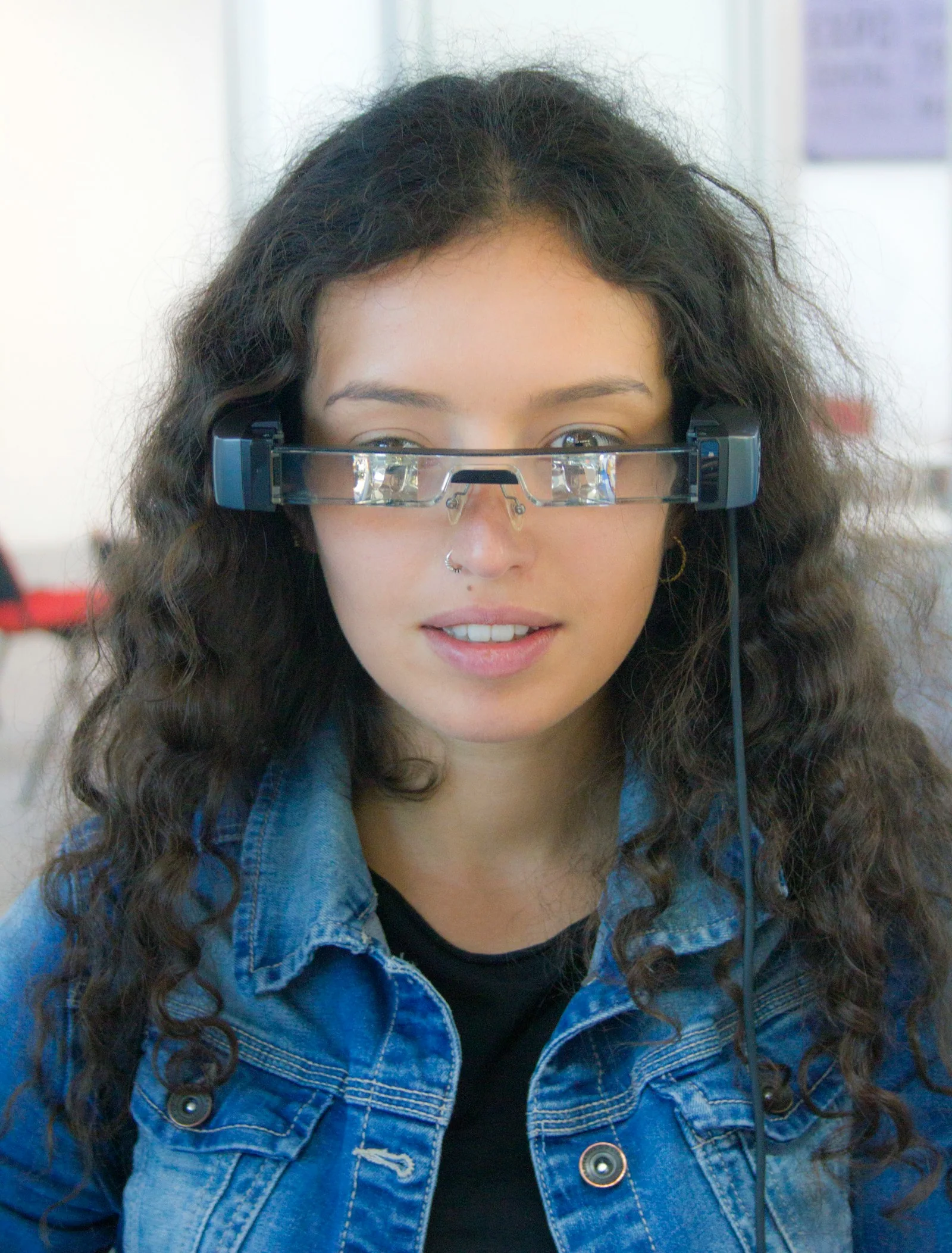
Smart Glasses give workers hands-free access to information, real-time translation, visual documentation and remote collaboration. The value shows up in workflows where holding a phone or tablet is impractical or slows down the task at hand.
- Hands-free information access: view instructions, data or alerts without reaching for a device
- Real-time translation and transcription: spoken language converted to text or another language on the fly
- Visual documentation: capture photos or video for records, quality logs or remote sharing
- Remote collaboration: share a first-person view with off-site experts who can guide you through a task
The business case for Smart Glasses
Enterprises invest in Smart Glasses to reduce downtime, cut errors in manual tasks and speed up onboarding for new workers. The return depends heavily on workflow fit. A warehouse picking operation and a surgical suite have different requirements, and the same device rarely serves both well.
Qualitative benefits are easier to verify than hard ROI numbers in most deployments. Faster issue resolution happens when a remote expert can see exactly what a technician sees. Fewer mistakes occur when step-by-step instructions overlay the work surface directly. Shorter training cycles result when new hires follow guided procedures instead of reading manuals or shadowing experienced workers for weeks.
Best Smart Glasses for business
The devices below appear in BestInXR's Smart Glasses directory with sourced, dated specs. "Best" depends entirely on use case, so the list spans multiple categories to give you a starting point for comparison.
Ray-Ban Meta Gen 2
AI Glasses with a camera and Meta AI voice assistant, but no display. Consumer pricing and a familiar eyewear form factor make it accessible for testing. Some businesses use it for documentation and quick AI queries, though it lacks enterprise management features entirely.
XREAL One Pro
AR Display Glasses with a large virtual screen. XREAL states the One Pro is powered by its own X1 chip and delivers native 3 DoF, so the head tracking runs on silicon XREAL designed rather than on a third-party mobile platform. XREAL positions this device for portable productivity and field review of documents or schematics. The virtual screen can replace a physical monitor in many situations.
Vuzix M400
Enterprise-grade Assisted Reality glasses with ruggedized housing, MDM (mobile device management) support and a monocular display. MDM allows IT teams to configure and manage devices remotely. Vuzix designed this for manufacturing, logistics and field service where durability is non-negotiable.
The Z100 is no longer positioned as a device you buy for a workforce. Its product URL now resolves to the Vuzix Ultralite OEM Platform, a set of reference designs sold to manufacturers, which publishes an MI-30 single monochrome waveguide with a single microLED projector and no camera, alongside a full-color configuration on a CI-30 dual waveguide with dual LCoS and a Snapdragon AR1 Gen 1 processor. Anyone shortlisting a Z100 as an enterprise device is shortlisting a component platform.
RealWear Navigator 520 and Navigator Z1
These are two devices and the difference is a safety qualification rather than a feature. The Navigator 520 is the general industrial model, described by RealWear as hands-free industrial smart glasses built for demanding environments, with rugged durability, Microsoft Teams calling and guided digital workflows. It supports MDM and enterprise Wi-Fi, making it suitable for regulated industries with strict IT requirements.
The Navigator Z1 is the one RealWear describes as intrinsically safe and ATEX Zone 1 certified, engineered for oil and gas professionals working in hazardous environments, and it is offered with a thermal camera. If the deployment is in a classified hazardous area, the certification is on the Z1 and not on the 520, and that distinction belongs in the purchase order rather than in a later conversation.
Even Realities G1 and G2
Discreet Display Glasses with a minimalist form factor designed for all-day professional wear. The display shows notifications and prompts without drawing attention from colleagues or clients.
The published specification is on the older model. The Even G1 page lists a Micro LED display in green at 640 by 200 resolution, a 25 degree field of view, a 20 Hz refresh rate and 1000 nits. The G2 page is a frame and lens selector and states no display technology, resolution or brightness at all. Treat any G2 display figure you find elsewhere as carried over from the G1 until Even Realities publishes one.
| Device | Type | Display | MDM support | Target use |
|---|---|---|---|---|
| Ray-Ban Meta Gen 2 | AI Glasses | None | No | Documentation, queries |
| XREAL One Pro | AR Display | Virtual screen | Limited | Productivity, review |
| Vuzix M400 | Assisted Reality | Monocular | Yes | Industrial workflows |
| RealWear Navigator 520 | Assisted Reality | Monocular | Yes | General industrial. The Z1 is the ATEX Zone 1 model |
| Even Realities G1 and G2 | Display Glasses | Micro LED on the G1. Not published for the G2 | No | All-day professional |
Enterprise use cases for Smart Glasses
Enterprise adoption centers on workflows where hands-free access to information or remote expertise reduces time, errors or travel costs. The specific application determines which device category makes sense.
Remote assistance and expert support

A technician wears glasses while a remote expert sees the live view and provides guidance in real time. Remote assistance reduces specialist travel and speeds issue resolution, particularly for equipment that only a few people in the organization know how to service.
Warehouse and logistics

Pick-by-vision directs workers to items visually rather than through paper lists or handheld scanners. Inventory counts, barcode scanning and route optimization run hands-free, keeping both hands available for handling goods throughout the shift.
Field service and maintenance

Work instructions overlay equipment directly in the technician's field of view. Technicians access service history, parts diagrams and checklists without juggling a tablet or paper manual while working on machinery.
Manufacturing and assembly

Step-by-step guidance reduces training time for new workers on the line. Quality inspection captures defects with photos automatically. Audit trails log each step for compliance documentation.
Privacy, security and regulatory considerations
Recording-capable glasses raise consent and data-handling questions that vary by jurisdiction. Some regions require all-party consent before recording audio or video. Others have different requirements entirely.
- Data handling: where captured images and audio are processed, whether on-device, in the cloud or by third parties
- GDPR and HIPAA: healthcare and EU deployments have specific compliance requirements that affect device selection
- Industrial certification: IP ratings, intrinsic safety for hazardous areas and regional safety marks
Name the jurisdiction when evaluating compliance for your deployment. A device approved for use in the US may lack CE marking for Europe, or vice versa.
Device management and IT integration
Enterprise IT teams typically require MDM for remote configuration, app deployment and policy enforcement across a fleet of devices. Kiosk mode locks the device to approved apps only. SSO (single sign-on) integration connects to enterprise identity providers. Enterprise Wi-Fi support means WPA2-Enterprise and certificate-based authentication.
Vuzix M-series, RealWear Navigator and select XREAL enterprise SKUs include MDM integrations. Consumer-focused devices like Ray-Ban Meta do not support centralized IT management at all, which limits their use in regulated environments.
How to shortlist Smart Glasses vendors
A structured evaluation prevents mismatched purchases and wasted pilot programs. A short-term deployment has its own constraints, and BestInXR's guide to smart glasses at events covers device access, distribution and the operating loop for a staffed pilot. The steps below mirror how BestInXR's directory entries are organized for comparison, with sourced, dated specifications.
1. Define the workflow and environment
Identify the tasks, physical conditions (indoor, outdoor, hazardous, cleanroom) and duration of use per shift. A device that works well in an office may fail on a factory floor.
2. Set the specification floor
Determine minimum requirements for battery life, display type, ruggedization (IP rating) and weight. IP ratings indicate dust and water resistance levels.
3. Verify regulatory and MDM fit
Confirm the device meets industry regulations for your jurisdiction and integrates with existing IT management tools in your organization.
4. Run a measured pilot
Test with real users on actual tasks in your environment. Define success metrics before the pilot begins and set a clear time boundary for evaluation.
Where to track the Smart Glasses record
BestInXR maintains a directory of Smart Glasses with sourced, dated specifications. Each entry records manufacturer claims, regulatory filings and published measurements separately. Entries are organized alongside Headsets, Developers, Manufacturers, Platforms and Software categories.
Explore the Smart Glasses directory
Related reading
The headsets this category is measured against, and the one product Apple has still not shown.
Recent news covering this hardware:
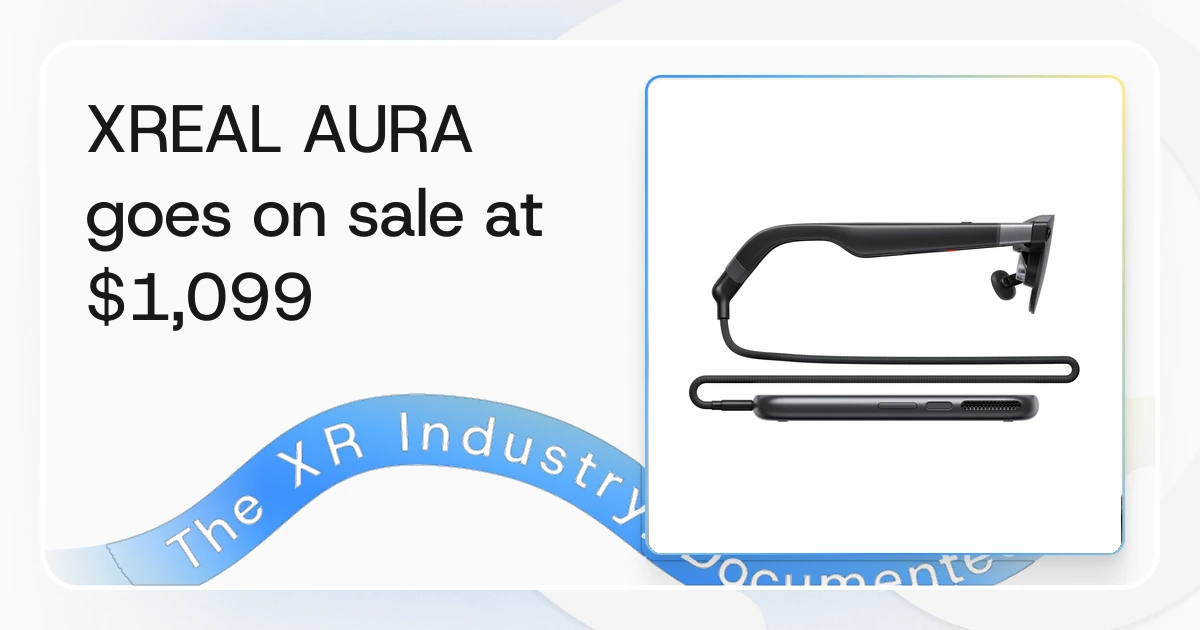
- XREAL AURA Goes on Sale at $1,099 Through 2026, Shipping Mid-November, October 29, 2026
- Victoria Writes Smart Glasses Into Its School Device Rules From January 2027, October 23, 2026
- XREAL 1 Pro+ Is $599, With 1200 Nits Peak Brightness, October 16, 2026
- XREAL AURA Is Priced at $1,279, With a Published 3 ms Latency Figure, October 7, 2026
- Cellid Puts AR Glasses Into a 1,036-Store Japanese Optical Chain, October 6, 2026
- Vuzix Ships Shrike Evaluation Units at 40 Degrees, Eye Box Published, October 5, 2026
Frequently Asked Questions (FAQ)
What is the difference between AI Glasses and Smart Glasses?
AI Glasses are a subset of Smart Glasses with a voice-based AI assistant and no visual display. Most include a camera, though camera-free pairs were announced in 2026. Smart Glasses is the umbrella term covering all eyewear with embedded computing, including devices with displays.
Which companies make Smart Glasses for enterprise use?
Vuzix and RealWear specialize in ruggedized industrial devices with MDM support. Meta, XREAL and Rokid offer lighter devices suited to office, field service or productivity workflows.
What are the main drawbacks of Smart Glasses?
Limited battery life, narrow field of view on AR models, privacy concerns around recording and high cost for enterprise-grade hardware are the most common limitations buyers encounter.
Do Smart Glasses require a paired smartphone?
Many consumer models require a smartphone for connectivity and processing. Enterprise Assisted Reality devices often operate standalone or connect directly to enterprise Wi-Fi without a phone.
Which Smart Glasses devices support mobile device management?
Vuzix M-series, RealWear Navigator and select XREAL enterprise SKUs include MDM integrations. Consumer-focused devices like Ray-Ban Meta do not support centralized IT management.