
Virtual Reality places users inside a computer-generated environment through a headset that replaces their physical surroundings entirely. Organizations use VR to train employees in risk-free simulations, test product designs at full scale and collaborate across distances in shared virtual spaces.
This guide covers how VR technology works, where businesses apply it, what hardware and software options exist and how to evaluate whether a deployment makes sense for your organization.
What is Virtual Reality
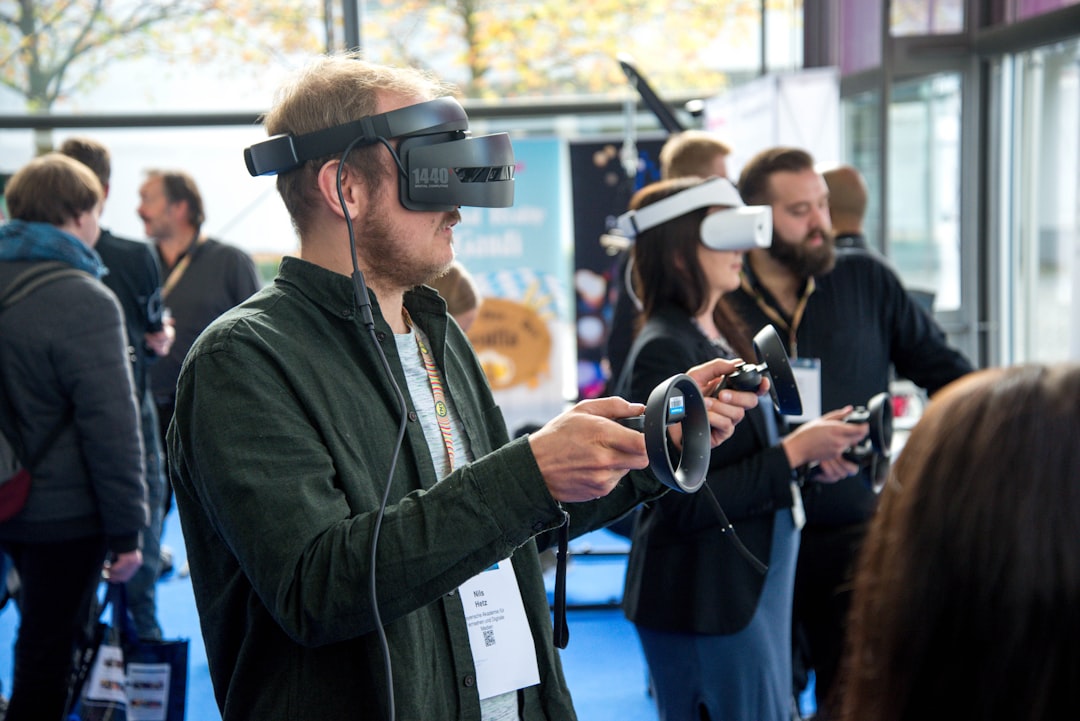
Virtual Reality (VR) is a computer-generated environment experienced through a headset that replaces your physical surroundings with a simulated one. Organizations deploy VR across manufacturing, healthcare, real estate and retail to cut costs, accelerate employee training and test product designs through immersive simulation. When you put on a VR headset, the screen fills your entire field of view, and the environment responds to your head movements in real time.
That responsiveness is what separates VR from watching a video or using a desktop application. Turn your head left, and the virtual world shifts accordingly. Reach out with a controller, and you can interact with objects in the space. The result is a sense of presence, the feeling that you are actually inside the environment rather than observing it from outside.
How Virtual Reality differs from Augmented Reality, Mixed Reality and XR
Virtual Reality blocks out the physical world entirely. Augmented Reality (AR) takes a different approach: it overlays digital information onto your view of the real environment, typically through glasses or a phone screen. Mixed Reality (MR) goes a step further by anchoring digital objects to physical surfaces so they appear to occupy real space. Extended Reality (XR) is simply the umbrella term that covers all three.
| Technology | What the user sees | Physical world visible? |
|---|---|---|
| Virtual Reality | Fully synthetic environment | No |
| Augmented Reality | Digital overlay on physical world | Yes |
| Mixed Reality | Digital objects anchored to physical space | Yes |
| Extended Reality | Umbrella term for VR, AR and MR | Varies |
Why does the distinction matter? Consider two examples. A warehouse picking application might use AR glasses so workers see instructions while handling real inventory. A surgical training program might use VR so trainees practice procedures without a patient present. The right technology depends on whether you want to enhance the physical world or replace it. If you are keeping up with how these approaches are evolving in the field, ongoing XR industry insights track adoption research and enterprise deployment interviews.
How Virtual Reality technology works
A VR system combines three core components: a head-mounted display, a tracking system and input devices. Understanding how each piece works helps when comparing hardware options later.
Head-mounted displays
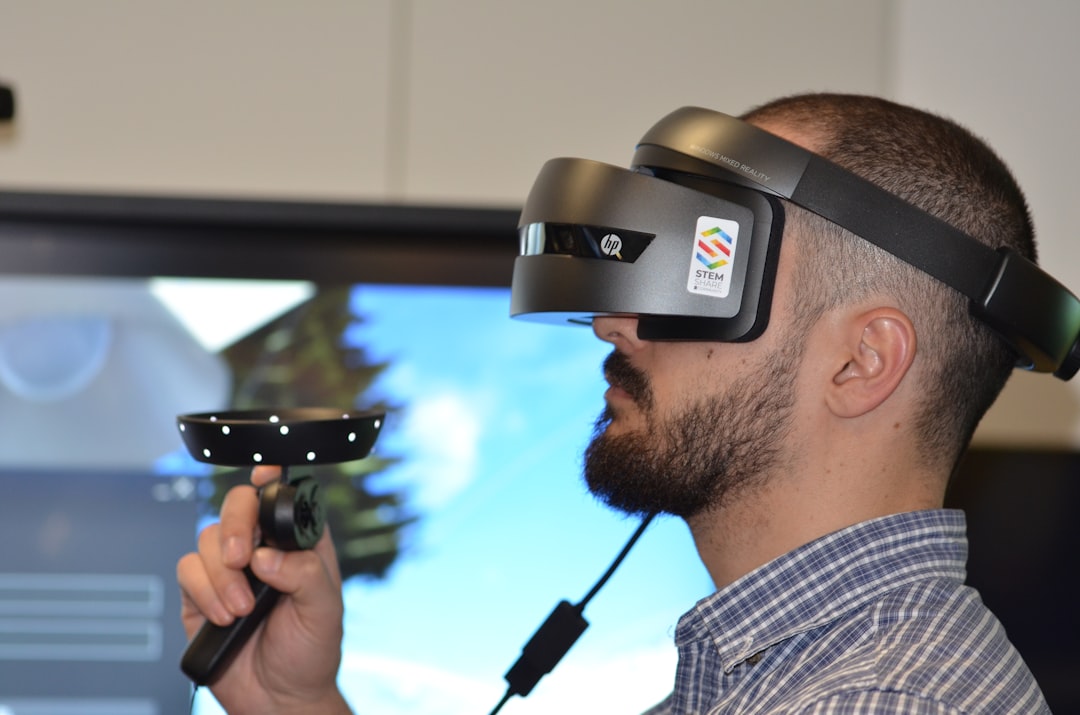
A head-mounted display (HMD) places a screen in front of each eye and refreshes rapidly, many times per second, to create the illusion of a continuous environment. Two specifications come up constantly when comparing headsets: resolution and field of view. Higher resolution reduces the visible pixel grid, making the image sharper. Wider field of view increases peripheral immersion, so you see more of the virtual world without turning your head.
Tracking systems
Tracking determines how your physical movement translates into virtual movement. Inside-out tracking uses cameras mounted on the headset itself to map the surrounding room. Outside-in tracking relies on external sensors placed around the space. Most current enterprise headsets use inside-out tracking because it requires less setup and works in more locations.
Controllers and input
Handheld controllers remain the most common input method, with buttons and joysticks for interaction. Hand tracking, where cameras detect finger position without controllers, is increasingly available on newer devices. Eye tracking, which monitors where you look, enables gaze-based selection and provides analytics on user attention patterns.
Business applications of Virtual Reality
Organizations use VR where immersion adds value that flat screens cannot provide. The most common applications cluster into a few categories.
Training and onboarding
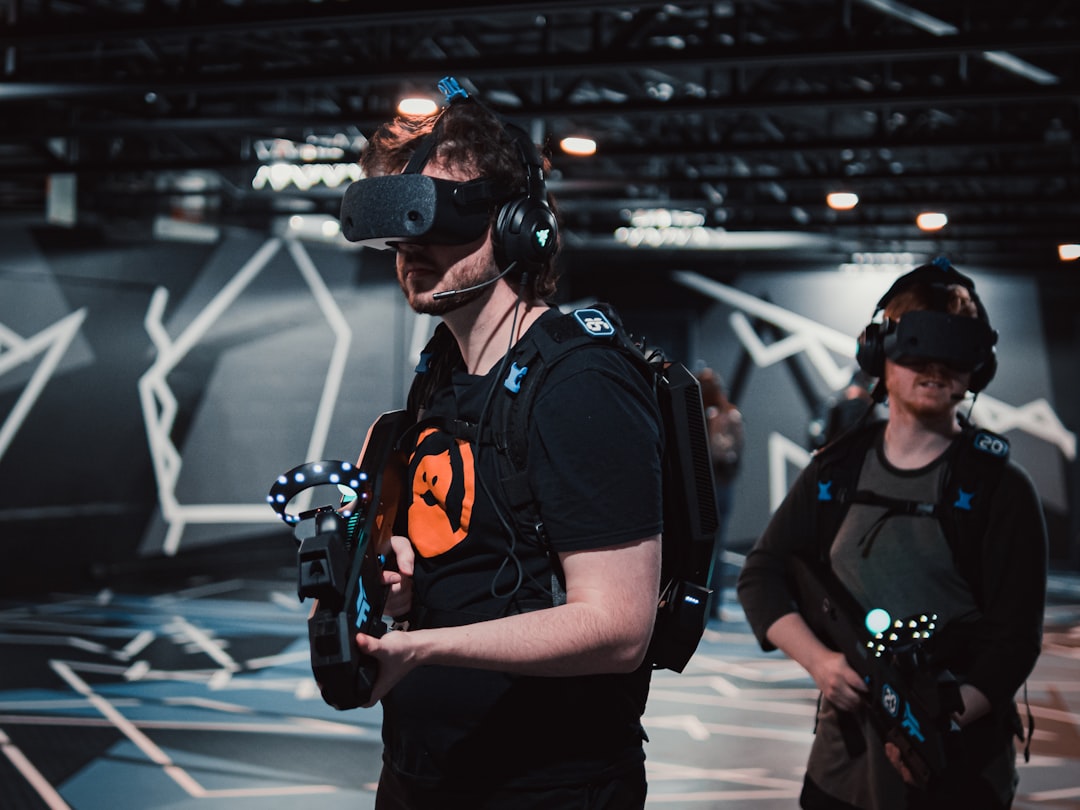
VR simulates scenarios that are dangerous, expensive or logistically difficult to replicate in the real world. A 2025 systematic review of 201 studies found that VR enables safe simulation of dangerous or costly scenarios, ensuring controlled training conditions without risks associated with human error such as equipment damage or injuries. Equipment operators practice on virtual machinery before touching physical assets. Customer service teams role-play difficult conversations with virtual customers. Safety officers walk through emergency procedures in simulated environments where mistakes carry no consequences.
Research supports VR as a training modality, though effectiveness varies by learning objective. A 2025 teacher-education meta-analysis found a moderate positive effect (Hedges' g = 0.524) on learning outcomes, with VR programs targeting content knowledge skills achieving the largest effects (g = 1.019), followed by social-relational skills (g = 1.002). In that review, head-mounted displays significantly outperformed desktop-based systems (g = 0.651 vs. g = 0.182).
Simulation and safety
Emergency response drills, hazardous environment familiarization and high-consequence procedure rehearsal all benefit from VR. A refinery can train workers on shutdown procedures without actually shutting down. A hospital can prepare staff for rare emergencies without waiting for one to occur. In one 2025 quasi-experimental study of 200 industrial workers, VR training was associated with a 30% improvement in risk awareness and a 25% increase in safety knowledge compared to a control group.
Design review and prototyping
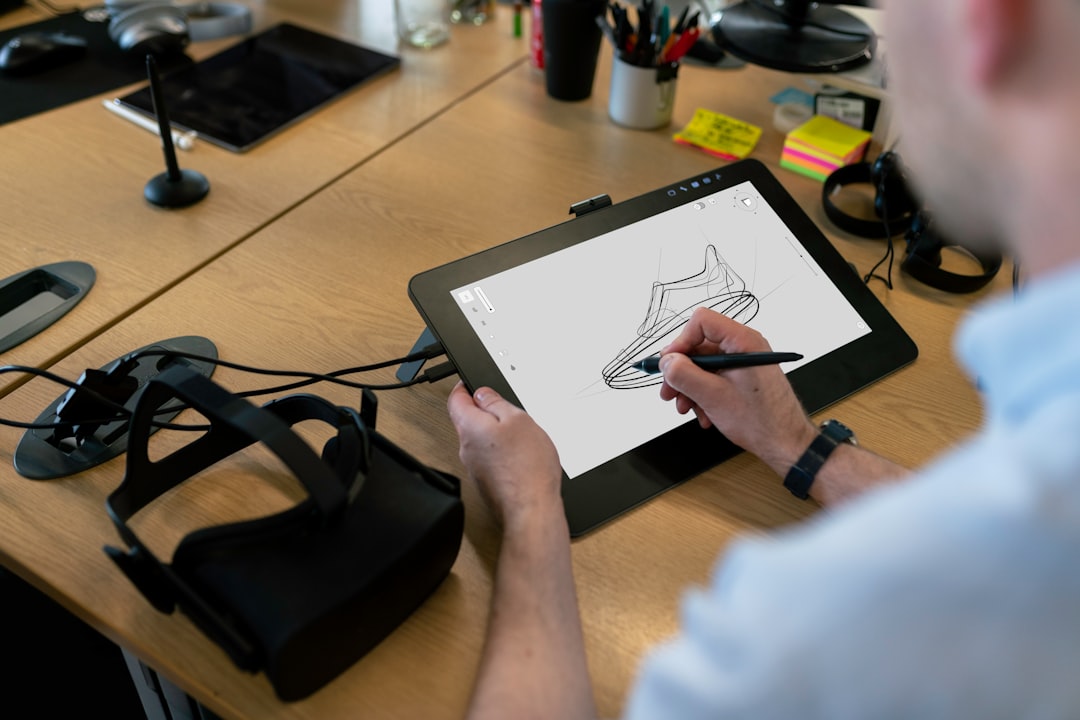
Architects, engineers and product designers view full-scale models before committing to physical production. Stakeholders walk through a building or inspect a vehicle interior at true scale, catching issues that flat renderings miss. Changes happen in software rather than in expensive physical prototypes.
Remote collaboration
Distributed teams meet in shared virtual spaces to review projects, annotate 3D models and troubleshoot equipment together. The sense of presence can make remote collaboration feel more immediate than video calls, particularly for spatial work like reviewing a factory layout or inspecting a product design.
Sales and marketing
Virtual showrooms let customers explore products interactively. Real estate agents offer property tours to remote buyers. Automotive brands let shoppers configure vehicles in VR before visiting a dealership. The common thread is letting customers experience a product before purchase.
Industries using Virtual Reality
While the applications above cut across sectors, certain industries have adopted VR more extensively than others.
- Manufacturing and industrial: Assembly training, maintenance procedures, factory layout planning. Heavy industry was among the earliest enterprise adopters.
- Healthcare and medical: Surgical simulation, patient rehabilitation, medical education, exposure therapy for phobias and PTSD.
- Defense and public safety: Combat simulation, first responder training, tactical rehearsal. Head-worn virtual displays were built for military cockpits before any consumer market existed. A 1992 report from the Aerospace Medical Research Laboratory at Wright-Patterson Air Force Base describes visually coupled system hardware built to support engineering and human factors research in the military aircraft cockpit.
- Retail and real estate: Virtual property tours, store layout testing, product visualization before purchase.
- Education and higher learning: Laboratory simulations, historical recreations, vocational training programs.
- Energy and utilities: Offshore platform training, power plant procedures, field service preparation for remote locations.
Virtual Reality for enterprise training
Training is the dominant enterprise use case because VR offers something traditional methods cannot: repeatability without additional cost per attempt. A trainee can practice a procedure dozens of times without consuming materials or instructor time. Evidence from systematic reviews and meta-analyses consistently shows VR produces positive, moderate learning outcomes compared to traditional methods across multiple training domains.
- Repeatability: Run the same scenario as many times as needed. Each attempt costs nothing beyond the initial content development.
- Risk-free failure: Mistakes happen in simulation rather than production. When errors are costly or dangerous, this matters.
- Standardization: Every trainee receives identical instruction regardless of location or which instructor happens to be available.
Leading reviews recommend VR as a supplement to, not a replacement for, traditional classroom instruction. Research suggests that VR training should be preceded by classroom instruction and followed by debriefings and additional learning through reflection and discussion.
Organizations should also consider design factors. While immersive VR using head-mounted displays outperforms non-immersive desktop alternatives, research indicates that high immersion and complex interactivity can cause cognitive overload, reducing learning effectiveness. Specific design elements such as audio guidance and visual cues have shown a positive impact on short-term memory retention.
The question for any organization is whether the use case justifies the investment. High-turnover roles with expensive onboarding, safety-critical procedures and geographically distributed workforces tend to show the clearest returns. Weighing those factors consistently is easier with a clear evaluation methodology for assessing VR hardware and platforms.
Virtual Reality hardware and software for business
Enterprise buyers encounter several categories of equipment. The right choice depends on use case, deployment scale and IT requirements.
Standalone headsets

A standalone headset processes content on the device itself, with no external computer required. The Meta Quest series is one example of a standalone device. Standalone devices are portable and easier to deploy across locations, though graphical fidelity is lower than tethered alternatives. Comparing current models side by side is easier with a dedicated XR headsets directory.
Tethered and PC-connected headsets
Tethered headsets connect to an external computer or workstation. They offer higher visual quality, which matters for design visualization and detailed simulation. The trade-off is reduced mobility and more complex setup, since you need both the headset and a capable PC at each location.
Enterprise VR platforms
Device management platforms sit between hardware and content. They handle fleet deployment, content distribution, user authentication and usage analytics. ArborXR is one example; several others can be compared in an XR software directory. Platforms become important once deployment scales beyond a handful of devices.
Frequently Asked Questions (FAQ)
1. What is virtual reality used for in business?
Organizations use VR to train employees in risk-free simulations, review designs at full scale before physical production, collaborate remotely in shared spaces and let customers experience products before purchase. Training is the dominant enterprise use case, because a scenario can be repeated as often as needed at no additional cost per attempt.
2. What is the difference between VR, AR and mixed reality?
Virtual reality replaces your surroundings with a fully synthetic environment. Augmented reality overlays digital information onto your view of the real world, and mixed reality anchors digital objects to physical surfaces so they appear to occupy real space. Extended reality, or XR, is the umbrella term covering all three.
3. Does VR training improve learning outcomes?
Research reports a moderate positive effect. A 2025 teacher-education meta-analysis found a Hedges' g of 0.524 on learning outcomes, rising to 1.019 for content knowledge skills, and head-mounted displays outperformed desktop systems at 0.651 against 0.182. Reviews recommend VR as a supplement to classroom instruction rather than a replacement for it.
4. What VR hardware do businesses need?
Standalone headsets process content on the device and are easier to deploy across locations. Tethered headsets connect to a computer and offer higher visual quality for design visualization, at the cost of mobility. Once a deployment grows beyond a handful of devices, a management platform handles fleet provisioning, content distribution and usage analytics.
5. Which industries use virtual reality most?
Manufacturing and industrial, healthcare, defense and public safety, retail and real estate, education and energy are the most extensive adopters. Heavy industry was among the earliest enterprise adopters, and head-worn virtual displays were built for military cockpits before a consumer market existed, as in the US Air Force's visually coupled systems work at Wright-Patterson.